Funcards · custom cubes · homebrew sets
Design a complete, coherent custom card set — from a spreadsheet.
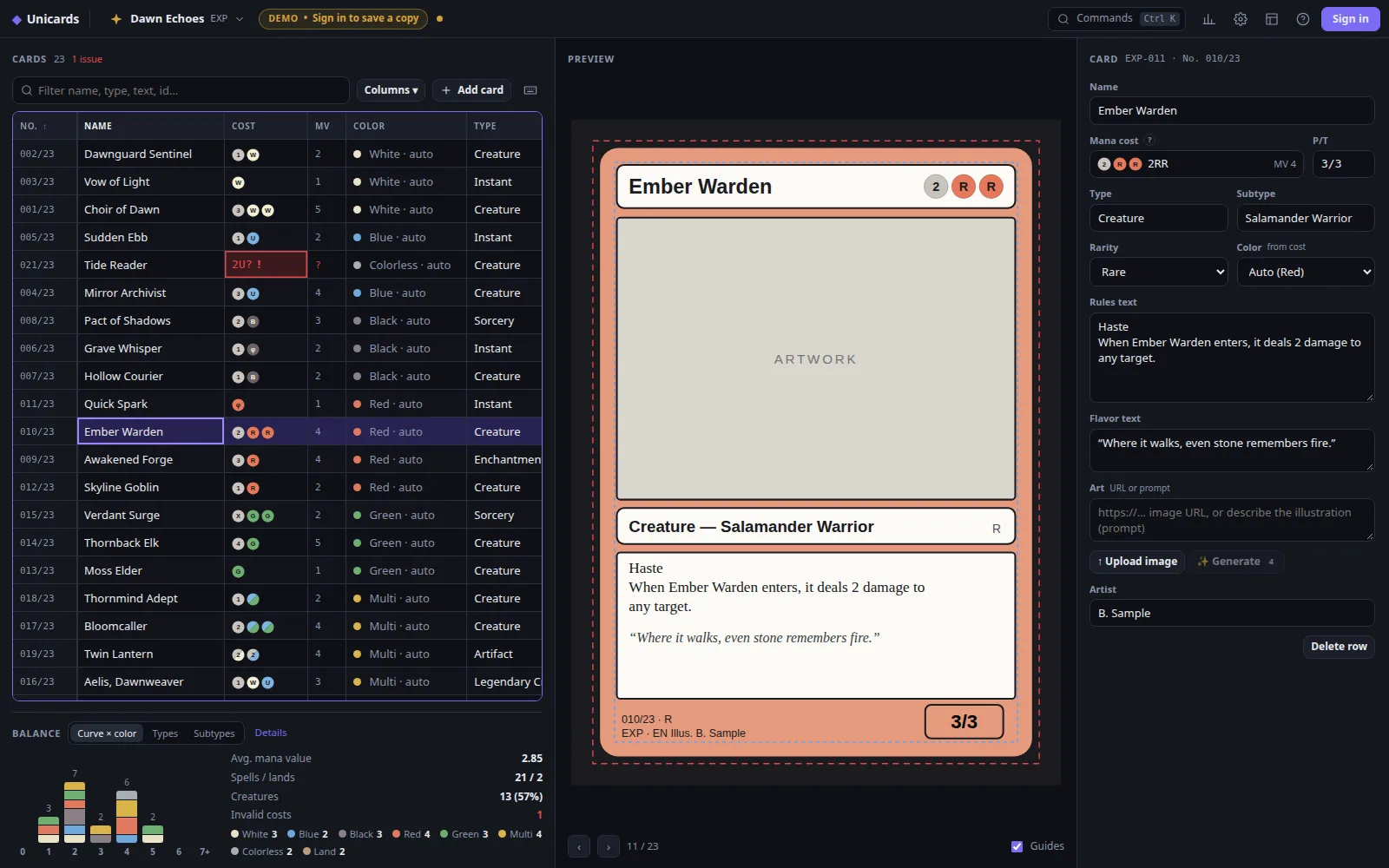
Unicards is an editor for Magic-style fan sets. Your card list lives in a keyboard-friendly grid (or a CSV / Google Sheet); every edit updates the card preview and the balance of the whole set. When it's ready, print it.
Who it's for
Homebrew set designers
Keep a 60–300 card set consistent: ids, collector numbers, rarities and color balance stay in check.
Cube builders
Fill the gaps of your cube with custom cards and see the curve per color at a glance.
Playtesters
Turn a list into printable proxy sheets of your own designs in one click.
Content creators
Prototype spoilers and fun sets for videos, streams or a community challenge.
Game designers
Prototype a card game fast: tweak numbers in a grid, check the stats, print, playtest, repeat.
Everything a set needs, nothing in the way
Keyboard spreadsheet grid
Arrows, Tab, Enter, copy/paste with Google Sheets and Excel, fill-down. Import and export CSV; Google Sheets sync is on the way.
Compact mana notation
Type 1RR, hybrid ug, Phyrexian up or twobrid 2w; mana value and color identity are computed for you.
Live preview
Every card renders as you type, with trim and safe-zone guides. Automatic ids and collector numbers.
Set balance stats
Mana curve by color, rarity per color, card types and subtypes — spot the holes before your playtesters do.
Print-ready output
3×3 PDF sheets on A4 or Letter with 3 mm bleed and crop marks, plus PNG export of single cards.
Art: upload or generate
Upload your own illustrations today. Soon: AI illustrations from each card's prompt with one art style for the whole set (credit-based, coming soon).
How it works
- 1
List your cards
Type in the grid or import a CSV: name, cost, type, rarity, rules text, art…
- 2
Shape the set
Watch the preview and the balance stats; fix what's flagged in red.
- 3
Print & play
Export a print sheet with bleed, or PNGs and CSV to share.